 |
|
The Employee Clock-In Data Editor allows you to add or edit time that has already been entered.
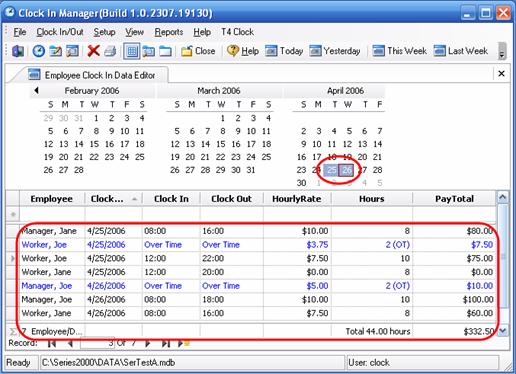
Here April 25th and 26th have been selected and the time clock activity for those days has come up. You can go in and edit time that has already been entered. You can also add time as seen below.
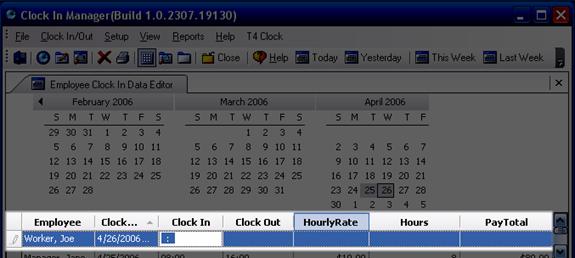
Enter the employee name and Clock In Date using the drop down menus, then enter the clock-in and clock-out times (military time).
Hit the enter key. The Hourly Rate, Hours and Pay Total columns will calculate automatically. Any overtime will be automatically calculated in a separate row and in blue.

 Contents
 Index
Index Search
 Previous
 Next
Next