|
|
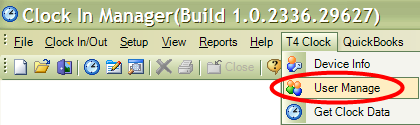
To delete users/employees in ClockMeIn, go to T4 Clock, then ‘User Manage’.
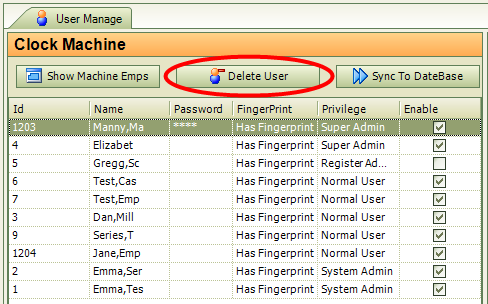
The following window will come up which has two sides, one which will show the data that is currently on the T4 Device and the other which shows data which is currently in ClockMeIn.
 If you make changes to employees in ClockMeIn, you will want to
come to this screen in order to sync this data to the T4 Device by clicking
‘Sync to Machine’.
If you make changes to employees in ClockMeIn, you will want to
come to this screen in order to sync this data to the T4 Device by clicking
‘Sync to Machine’.
 If you make changes on the T4 Device, you will want to come to
this screen in order to sync data to the database by clicking on ‘Sync to
Database’. You will need to click on ‘Show Machine Emps’ first in order to be
able to import the data from the device into ClockMeIn for viewing.
If you make changes on the T4 Device, you will want to come to
this screen in order to sync data to the database by clicking on ‘Sync to
Database’. You will need to click on ‘Show Machine Emps’ first in order to be
able to import the data from the device into ClockMeIn for viewing.
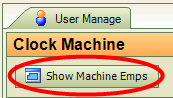
Click on ‘Show Machine Emps’ to bring up employees that are currently stored on the T4 Device.
Highlight/select the employee you would like to delete then click on ‘Delete User’.
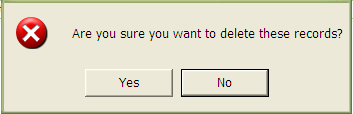
Click on ‘Yes’ to confirm you would like to delete this employee.
 Contents
 Index
Index Search
 Previous
 Next
Next