 |
|
You will usually not have to set the date and time manually on the T4 Device. Should the need arise, follow the instructions below, otherwise, sync the time in ClockMeIn.
To set the date and time, press ‘MENU’. The following menu will appear.
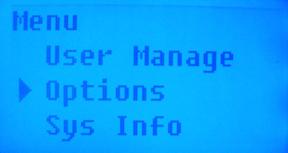
Arrow down to select Options and press ‘OK’.
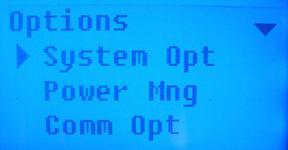
Select ‘System Opt’ and press ‘OK’.
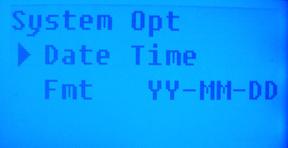
Press ‘OK’ to select ‘Date Time’.
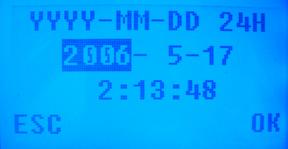
Enter the year by using the number keys and press the down arrow when done to change the month.
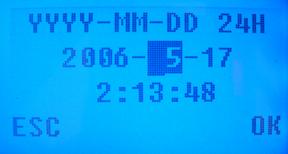
Enter in the number for the month, then press the down arrow to change the day.
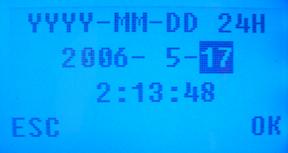
Enter in the number for the day and press the down arrow to enter in the time.
Enter in the number for the hour in military time (i.e. for 3:00pm, enter 15 for the hour and 00 for the minutes)
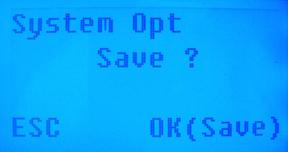
Press ‘OK’ to save the changes.
 Contents
 Index
Index Search
 Previous
 Next
Next