Favorite Reports
You can view all the reports that were flagged as favorites from the report screens. Also you can see the HQ reports.
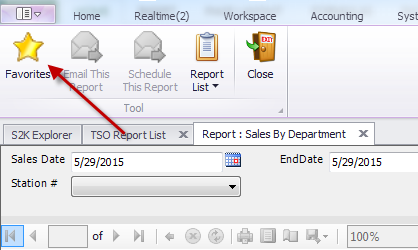
You can flag a report as a favorite by running your report then clicking on the favorite button at the top (this is by S2K user):
To remove a report from the favorite list click on the report and choose “remove from my favorite list”
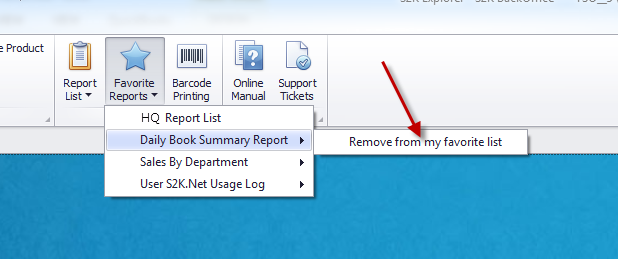
To see HQ reports click on Favorite reports, choose the HQ Report List:

 NSSR Report