Pending Price Changes
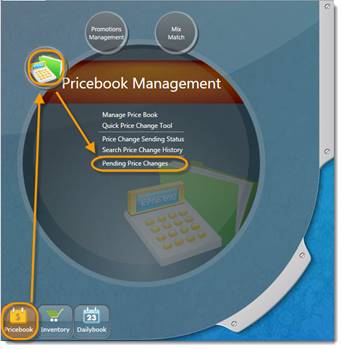
Go the S2K home screen, click the Pricebook button, and then click Pending Price Changes.
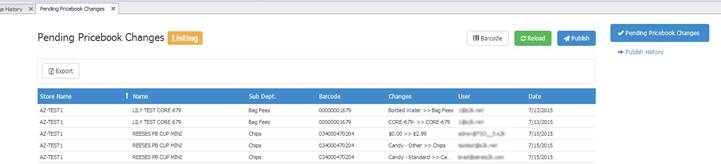
The pending price change window shows the list of items that have been changed and are waiting to go to the POS system.
Under the "Changes" column, the user can see what information was changed. This can include name, description, department, or retail changes.
Also, the "User" column shows who made the change. The "Date" column shows when the change was made.