|
|
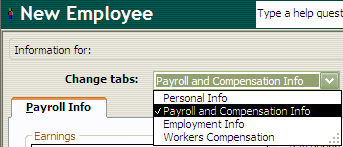
To enter in an employee’s regular pay rate, select ‘Payroll and Compensation Info’ in the ‘Change tabs:’ drop down menu as seen above.
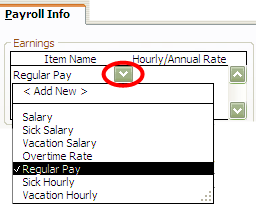
Here you can enter in the rate for regular pay. To bring up the drop down menu above, click in the area circled in red above.
Once you have selected ‘Regular Pay’, hit the Tab key to enter in the employee’s hourly rate.
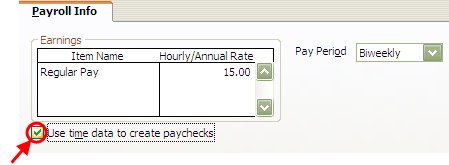
IMPORTANT: THE BOX CIRCLED IN RED ABOVE MUST BE CHECKED IN ORDER TO CREATE PAYCHECKS WITH TIME DATA IMPORTED FROM S2K.
 Contents
 Index
Index Search
 Previous
 Next
Next