 |
|
To enter the Communication Options Menu, press ‘MENU’.
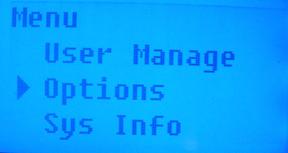
Arrow down to select ‘Options’. Press ‘OK’.
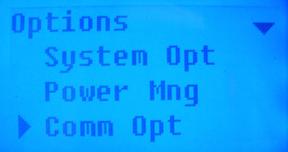
Arrow down to select ‘Comm Opt’. Press ‘OK’.
Dev Num: the number of the machine, ranged from 1 – 255.
Baud Rate: the communication speed of the communication with the computer. There are 3 choices: 9600, 38400 and 115200.
IP Address: By default, the IP address is 192.168.1.201. You may change this number according to system requirements (instructions to follow).
Network Speed: the default network speed is 10M-F.
Ethernet: Select Y (Yes) or N (No)- whether or not to use the TCP/IP to communicate with the unit.
RS232: Select Y (Yes) or N (No)- whether or not to use the RS232 to communication with the unit. This is recommended for high speed (fast) communication.
RS485: Select Y (Yes) or N (No)- whether or not to use the RS485 to communication with the unit. This is recommended for low speed (slow) communication.
COMM Key: the system default keyword is 0, which may be defined.
NOTE: Ethernet is the only option currently available. In order to select this option, press ‘MENU’.
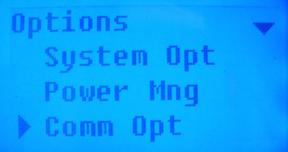
Arrow down to select ‘Comm Opt’.
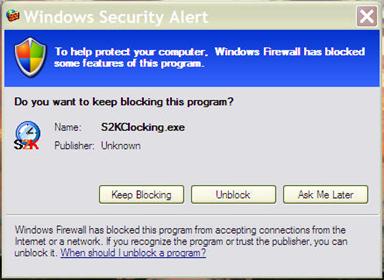
Please note that if you have Windows Firewall activated/on, the following window will pop up and the T4 Device will not be able to communicate with your PC. Either turn off your firewall or click unblock in the Windows Security Alert window that may pop up below.
 Contents
 Index
Index Search
 Previous
 Next
Next