 |
|
In order to figure out what IP address you would like the T4 Device to connect to, you will need to find the IP address for the PC to which you would like the device to communicate. To do this, follow the instructions below.
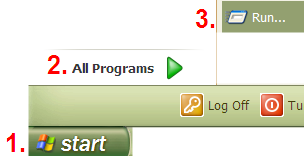
On your PC, go to Start, All Programs, and then Run…
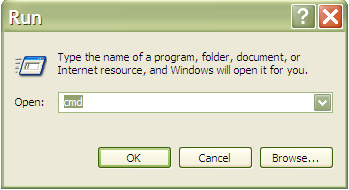
Type cmd and then hit enter.
Type ipconfig and hit enter
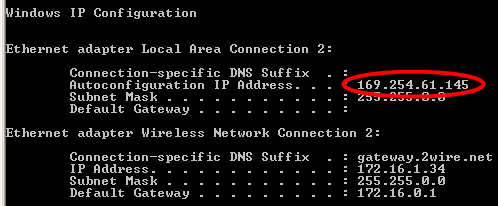
The number circled in red above is your PCs IP Address.
In order to find an open IP address for the T4 Device, we need to choose an address to test. To do this, in the same screen, type: ping 169.254.61.10 (you will be entering the first 3 numbers from the IP Address that comes up for your PC then changing the last number to 10).
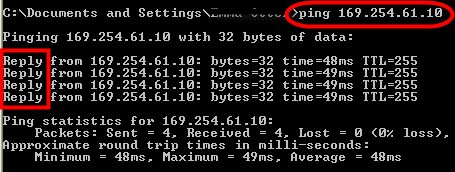
Because there was a reply as seen in the box above, we know that that IP Address is already in use. Try again, changing the last number to 20, until you see ‘Request timed out’ like in the box below.
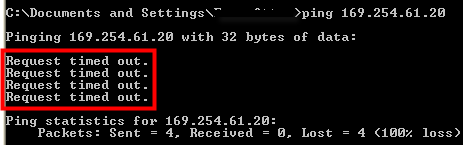
Make note of the available IP Address. This will be the IP Address which will be entered into the T4 Device.
 Contents
 Index
Index Search
 Previous
 Next
Next