 |
|
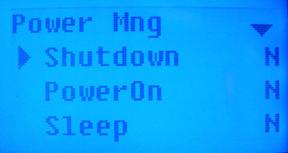
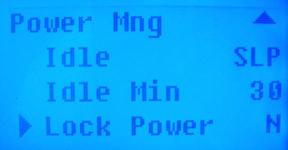
The following 4 settings can be customized on the T4 Device.
1. Shut Down: Turns off the power at a defined time
2. Power On: Turns on the power at a defined time
3. Sleep: Enters the sleeping mode for a defined amount of time. Press any key to activate the system again.
4. Idle and Idle Minute: These two options are related to each other. When the idle time is zero (minutes), then the idle setup function is off. When the idle time is not 0 (minutes), for example, 1, then when no operation is performed in 1 minute, the system shall enter the mode defined in the idle setup.
**It is recommended that these settings be changed in ClockMeIn instead of manually on the device when the option is available.
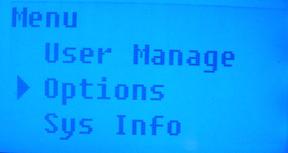
Arrow down to select ‘Options”. Press ‘OK’.
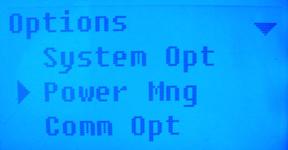
Arrow down to select ‘Power Mng’. Press ‘OK’.
Using the arrow key(s), select which option you would like to customize.
 Contents
 Index
Index Search
 Previous
 Next
Next