 |
|
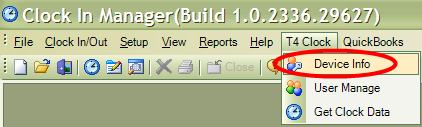
Because information cannot be gathered remotely from the T4 Device if it is not powered on, it is best to choose a time to power the device on and off. To do so, in ClockMeIn, go to T4 Clock, then Device Info.
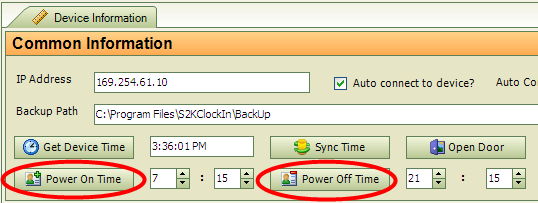
Enter in the time you would like the T4 Device to power on and power off. This will depend on when you decide to pull data from the clock-in device. Enter the time in military format.
To change the settings for any of the options above, press ‘MENU’. The screen below will appear.
 Contents
 Index
Index Search
 Previous
 Next
Next