 |
|
To enter the available IP address onto the T4 Device, start by pressing ‘MENU’.
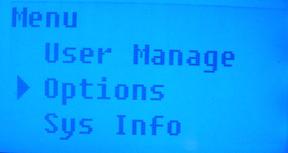
Arrow down to select ‘Options’. Press ‘OK’.
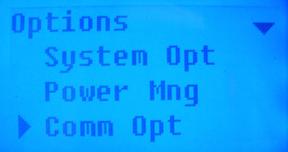
Arrow down to select ‘Comm Opt’. Press ‘OK’.
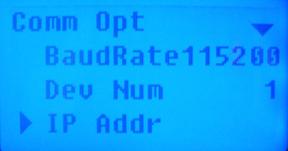
Arrow down to select ‘IP Addr’. Press ‘OK’.
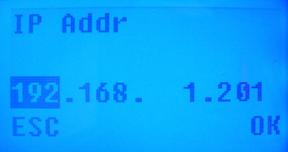
Using the keypad the enter the numbers and the arrow keys to navigate, enter in the IP address and press ‘OK’.

 Contents
 Index
Index Search
 Previous
 Next
Next