Product Manager/Listing
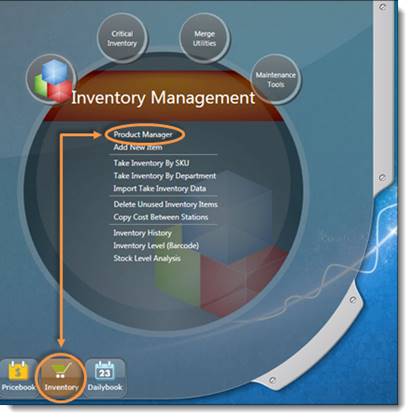
To view or modify items, open the S2K home screen and click the Inventory button.
The Product Management bubble will open by default where you will find and click the Product Manager link (pictured below).
To view or modify items, open the S2K home screen and click the Inventory button.
The Product Management bubble will open by default where you will find and click the Product Manager link (pictured below).
 Flex vs Core