Entering Employee Information into QuickBooks

To enter a new employee in QuickBooks

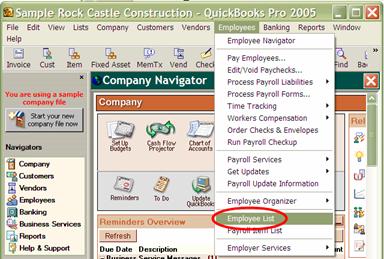
In the Employees drop down menu, go to ‘Employee List’.


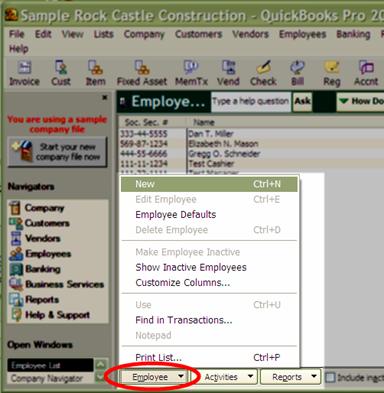
You can hit Ctrl + N to create a new employee or go to the menu as indicated below and selecting ‘New’.


More:

Entering New Employee's Personal Information

Adding Regular Pay Rate

Adding Overtime Pay Rate

Selecting the Payroll Pay Period

Entering in Payroll Taxes

Federal Taxes

State Taxes

Other Taxes

Employment Information

Workers Compensation Information

Editing Employees Information in QuickBooks

loans loans loans loans loans loans loans loans loans loans loans loans loans loans loans loans loans loans loans loans loans loans loans loans loans loans loans loans loans loans loans loans loansloans loans loans loans loans loans loans insurance insurance mortgage mortgage